
DSC-BRAIN USER GUIDE · USING THE DASHBOARD
Navigation: the five items and More
The five items in the top bar, the More sheet, the space pages, the phone bottom bar, the Issues icon and where Settings lives. Formerly: the desk row, sub-tabs and the gear.
● verified for 9.8.9 on 1 Oct 2026
● first mirrored 2026-09-15
On this page
Five items and a More sheet
Use this page to find which screen or settings page holds what you want to see or change: the table under Settings lists common tasks and where to do them. From 9.8.9 the top bar is the same five items on a wide screen and on a phone: Today, Spaces, Devices, Issues and Settings, with a small More button beside them. Which tent you are looking at is never an item; you pick it from Spaces.
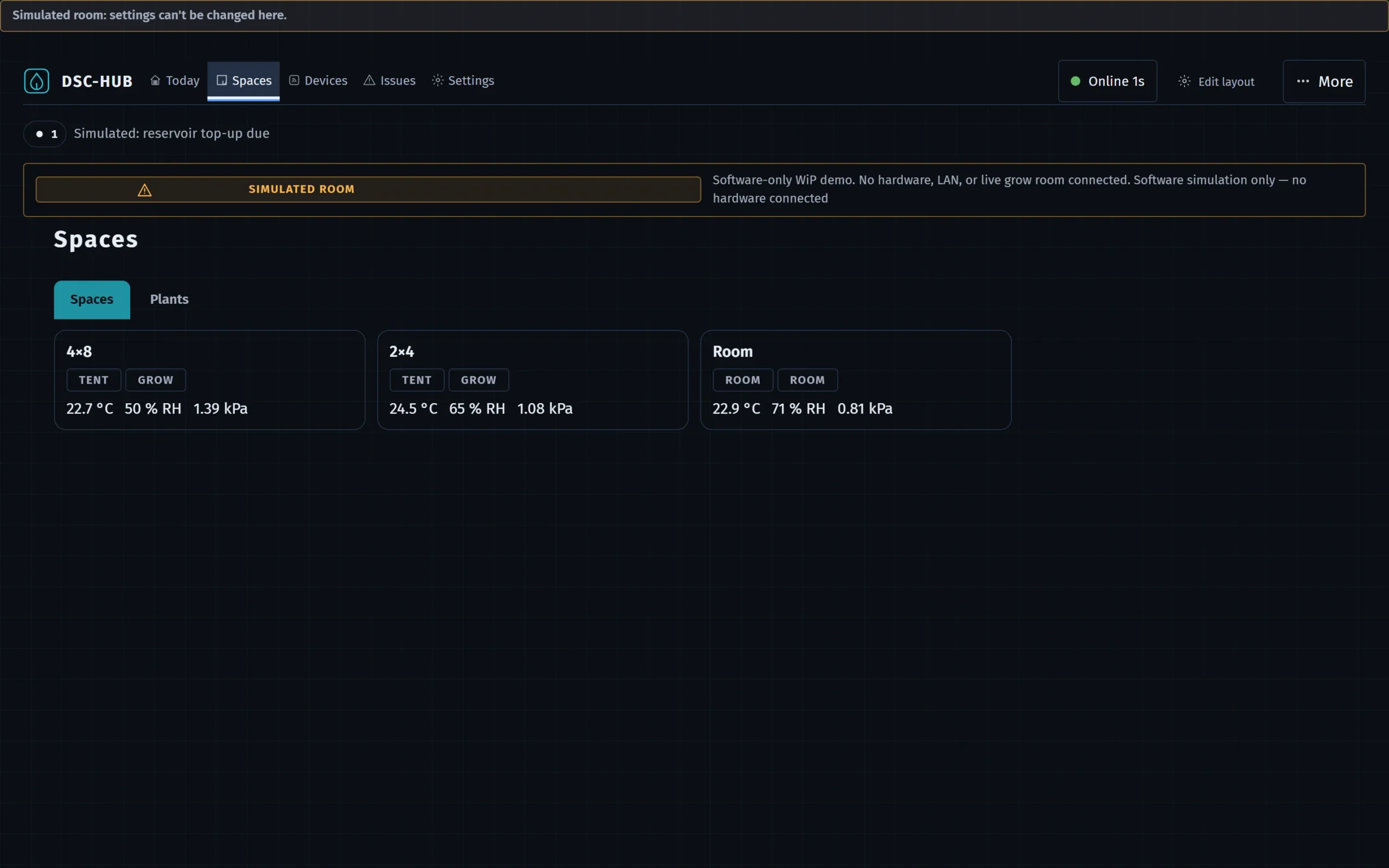
| Item | Path | What it holds | Formerly |
|---|---|---|---|
| Today | #/overview |
What needs a hand now, one card per zone, the Overnight panel | Overview desk |
| Spaces | #/spaces, #/spaces/<space> |
The list of spaces, and one page per space. A second segment, Plants, holds Roster, Compose, CannaLib, Journal and log, and 3D view | Climate, Root, Light and Plants desks, and the Climate Tent cockpit |
| Devices | #/v2/devices |
Every device, grouped by the place it serves | Kit desk, Inventory |
| Issues | #/v2/issues |
Everything that needs a look, in four tiers | Alerts desk |
| Settings | #/settings/preferences |
Twelve sections, grouped You, The grow and The kit | The gear |
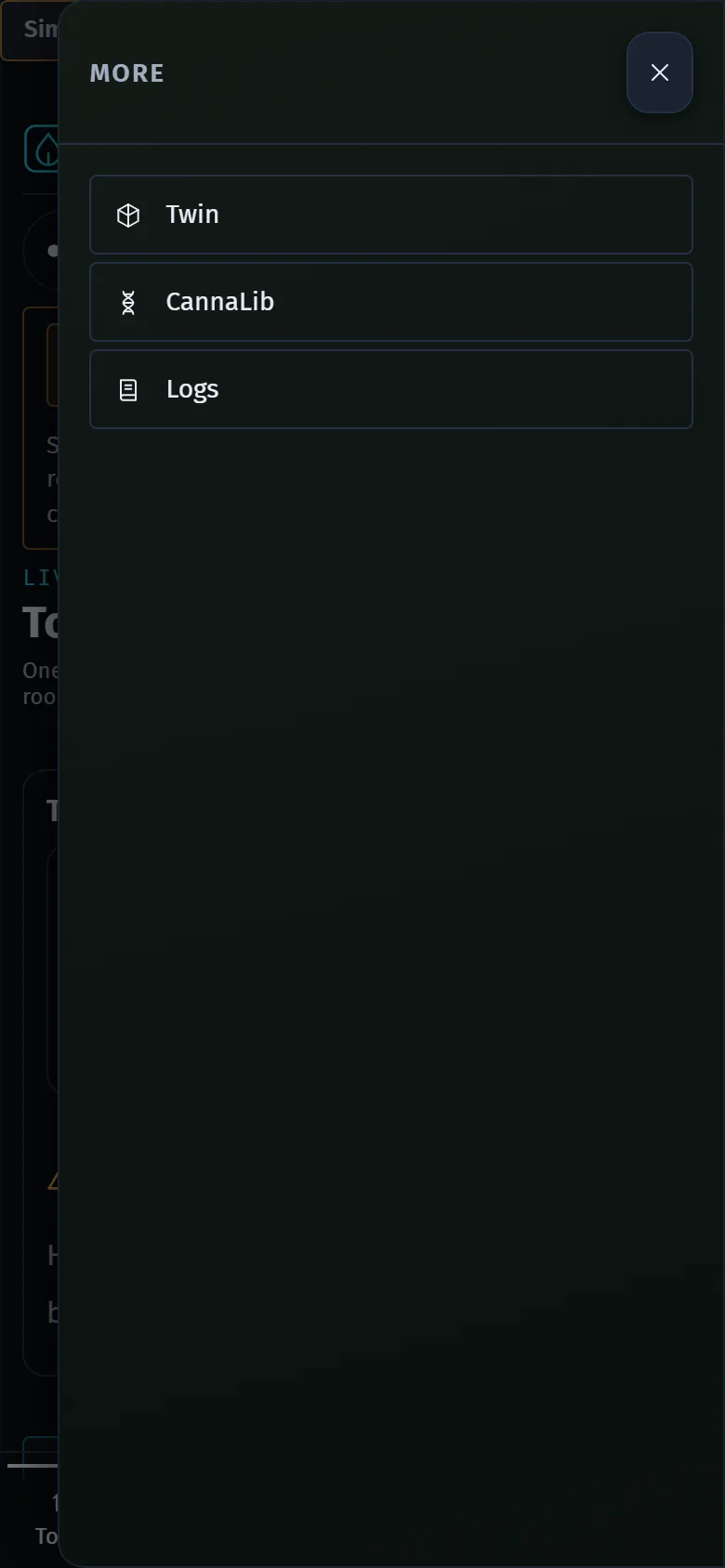
| More | a sheet | Twin (#/twin), CannaLib (#/cannalib) and Logs (#/logs) |
Desks of the same names |
The older row of ten desks, with its blue, teal and purple accents for live, grow and kit, is replaced by these five items. The older screens are still there: Climate, Light and Root open from a space page, Plants from the Spaces page, Kit and its Learning and Calibrate tabs from Settings › System › Tuning.
Items and sub-tabs are real links: use your browser's usual shortcut to open one in a new tab or copy its address, and the arrow keys move between tabs.
Zone strip
The Climate, Root, Light and Twin screens, which open from a space page, show a strip of zones: Room, 4×8, 2×4 and All (every zone side by side). On Climate › Tent the strip reads TENT and offers only 4×8 and 2×4. The choice travels in the URL as ?zone=4x8, so a link you copy opens on the same zone. Your Default zone (Settings › Preferences) is used when a link has none.
Header
- Hub status button in the top bar: a dot and one word, Online, Restarting, Offline, Stale or Unknown, with the age since the hub was last heard. Click it to open the hub status panel: the hub link line (HUB ONLINE, HUB OFFLINE and so on), the Full Auto pill, an Open Kit tag and the facts row. See Reading the dashboard honestly for the chips.
- Facts not confirmed (All facts confirmed when there are none): the facts row in the hub status panel. It shows an Updated age chip (STALE with the age when the dashboard's own feed has gone quiet) and one chip for each fact the dashboard cannot confirm, with a +N chip when there are more than six. Click a chip to read what is unconfirmed and go to where it is fixed.
- Issues icon: one icon above the page content, with a count, the severity drawn as a shape (never colour alone) and the worst current issue beside it. Click it to open a short list headed Issues, and from there the Issues screen. A list the brain has not published reads as unknown, not as none. AWAY · CRITICAL ONLY shows in the hub status panel while Away mode is on and opens Settings › Alerts.
- On Today, a tent card's title opens that tent's cockpit (Climate › Tent).
Phone
On a narrow screen the same five items sit in a bottom bar, with a More button at the end. The bar is fixed: the Desk order and visibility and Phone bottom bar rows under Settings › Preferences do not change it. The More sheet holds Twin, CannaLib and Logs. When the five-item bar is on, the web address of the hub opens Today whatever the Landing desk row says. Wide tables scroll inside their own frame.
Settings is the gear
Settings is the last of the five items. It opens #/settings/preferences with a left rail of twelve sections grouped as You (Preferences, Alerts), The grow (Zones, Climate, Light, Root, Sensors, Automation) and The kit (Devices, Integrations, Network, System). The selected section is filled, and a short live status line can show under a section name. On a screen narrower than 900 pixels the rail becomes a strip across the top that scrolls sideways. A search box above the rail finds any row by label, entity id or synonym and deep-links to it. Above the search, an Advanced row lists the newer screens that have no item of their own: Issues, Devices, Kit model, Who is in charge, Airflow, Add a device, Old and v2 side by side, and Absence and first-load states. Each shows only while that screen is switched on.
Where do I change…?
| To do this | Go to |
|---|---|
| Change a tent's target temperature, RH or VPD | Climate › Tent (Want editors); defaults and history on Settings › Climate |
| Set the heat warning temperature for the canopy | Settings › Climate (Heat warning (canopy), on the Control card) |
| Change the 2×4 climate mode or schedule source | Settings › Climate (2×4 climate mode and 2×4 schedule source, on the Control card); the Climate and Light desks show them read-only with a link |
| Take a device over, or hand it back | Climate › Room (the appliance tiles); a whole tent from Take over on its space page |
| Set lights-on time, lit hours or sunrise and sunset ramps | Light (open it from a space page); brightness limits and tariff on Settings › Light |
| Add a plant, or move it to another probe | Spaces › Plants › Compose to add; Spaces › Plants › Roster to assign or detach |
| Acknowledge or snooze an alert | Issues (formerly the Alerts desk); delivery, quiet hours and away mode on Settings › Alerts |
| Bind a sensor, or say which device is which fan or plug | Settings › Devices (Zigbee tab for sensors and roles, Assignment tab for fans and plugs) |
| Add, test or frame a camera | Settings › Devices › Cameras |
| Change units or chart ranges | Settings › Preferences |
| Set irrigation shot length, dry-back or EC targets | Settings › Root |
| Write an automation rule | Settings › Automation |
| Rename a zone or change its role | Settings › Zones |
| Back up, restart or reset the kit | Settings › System |
| Update the brain or the device firmware | Settings › Devices › Firmware |
| Calibrate a fan, lamp, tank or probe | Settings › System › Tuning › Calibrate (opens Kit › Calibrate) |
Deep links you can bookmark
| Link | Opens |
|---|---|
#/spaces |
The list of spaces (add ?seg=plants for the Plants segment) |
#/v2/issues |
The Issues screen |
#/v2/devices |
The Devices screen |
#/climate?zone=4x8 |
Climate, 4×8 in focus |
#/climate/tent?zone=2x4 |
The 2×4 tent cockpit |
#/logs |
The full journal browser |
#/settings/devices#cameras |
The Cameras tab under Devices |
#/setup |
The kit setup wizard |
#/twin/kiosk |
The Twin kiosk: full screen, lenses cycling, big readouts (Esc to leave) |
Older paths (#/fleet, #/tune/analytics, #/grow/logs) redirect to their new homes. The browser tab names the page first, for example Tent · Climate · DSC-HUB or Light · Settings · DSC-HUB, so narrow tabs stay tellable apart; the version is on Settings, not in the title. Every route, with what it opens, is listed in Routes and deep links.
DSC-Brain user guide · Navigation: the five items and More · this page is edited on the site; the Notion original was retired after the mirror